Try Two Free Previews: Texture First Hair Color Apps for Black Hair

Try Two Free Previews: Texture First Hair Color Apps for Black Hair
If you have Black textured hair, skip the generic hair color apps and go straight for texture-first virtual try-on apps built for coily and kinky textures. Some virtual try-on platforms provide complimentary credits to test styles before requiring payment. Most mainstream apps render hair color changes on straight or wavy templates and simply ignore how coils, curls, and shrinkage actually move.
TL;DR:
- Texture-specific apps with curated libraries for 4A to 4C patterns provide more realistic previews of coily and kinky hair than generic or straight-hair models.
- Accurate simulation of textured hair requires geometric and physics-based rendering techniques, especially for coils and frizz, not simple filters.
- Taking well-lit, frontal photos with visible hairline and manual refinement improves the realism and reliability of virtual try-on results.
- Most platforms offer two to five free previews; evaluate catalog diversity and export quality before committing to paid plans.
- Privacy policies vary, so users should check whether their photos are stored or used for training, and use previews to improve communication with in-person stylists.
Table of Contents
- What to look for in a Black-hair virtual try-on app
- How AR and AI actually simulate textured hair
- How to photograph yourself for the most realistic preview
- What to expect from trial credits and paid plans
- Why texture-first previews change what happens in the chair
- StyleMyCrown: try texture-first previews with complimentary credits
- Sources
- FAQ
What to look for in a Black-hair virtual try-on app
Not every app that claims to work on “all hair types” actually does. Some are built on straight hair models with a darker filter slapped over them, and the result looks more like a wig thrown on a mannequin than anything close to your real texture.
Here’s what separates the apps worth your time from the ones that waste it.
- Texture-aware rendering: the app should have style libraries built specifically for 4A through 4C textures, not a single “curly” category that flattens every coil pattern into one look.
- Face-preserving compositing: your features stay intact while only the hair changes, with the head and neck aligned so nothing looks pasted on.
- Trial credits before payment: a few complimentary previews so you can judge quality before committing a dime.
- Privacy transparency: a clear statement on whether your photo is stored, deleted, or used to train anything beyond your own preview.
- Guided capture tools: hairline markers and manual refinement options so you can nudge a style until it sits right.
Pro Tip: Before you trust any app’s results, test it on a style you already know well, like your current length or a braid pattern you’ve worn before. If the preview looks off on something familiar, it’ll look worse on something new.
The apps that get this right tend to say so plainly, usually on a dedicated style catalog or FAQ page rather than burying it in marketing copy.
How AR and AI actually simulate textured hair
Coily hair doesn’t behave like straight or wavy hair, and that’s the root of why so many apps get it wrong. A strand of 4C hair coils, folds back on itself, and catches light differently at every twist. Straight hair just falls. Rendering that kind of volume and movement takes different geometry and different physics than the models most hair-tech was originally built on.
Research into this gap has started to produce real fixes. One technical paper on production failure modes in Black hair try-on systems documents exactly where these systems break down and the geometric and physics-based methods developers use to correct them. Separate academic work on an algorithm called Curly-Cue showed that rendering coils convincingly requires techniques like phase locking and period skipping, essentially mathematical ways of capturing how a coil twists, switches direction, and catches frizz along its length, as Allure reported on the research.
One of the clearer signals this research points to: realistic coil rendering depends on specialized geometric modeling, not a simple texture filter. That distinction shows up the moment you compare a well-built preview to a sloppy one.
When you’re judging an app’s quality, watch for:
- Volume that stays consistent as the angle changes, instead of flattening out in profile shots.
- Frizz and flyaways that look organic rather than painted on in one static layer.
- A hairline that blends into your actual scalp instead of sitting like a hard edge.
Because this technology is still catching up, curated libraries checked by actual stylists tend to outperform fully automated generation. A human who understands texture can catch what an algorithm misses.
How to photograph yourself for the most realistic preview
The app matters, but your photo matters just as much. A rushed, poorly lit selfie will sabotage even the best try-on technology.
- Shoot in even, natural light. Face a window if you can. Harsh shadows confuse the app’s edge detection around your hairline.
- Keep your hairline visible. Pull back any hair covering your forehead or edges so the app has a clean reference point.
- Face the camera directly. A slight angle throws off alignment and can make a style look lopsided once applied.
- Choose a texture-matched starting style. Use the app’s filters to narrow results to your actual curl or coil pattern rather than scrolling through everything.
- Refine with the manual tools. If hair looks like it’s floating off your head or sitting too high, use the head markers to nudge placement and scale.
- Export more than one angle. Save a straight-on headshot along with a close-up of your hairline and part for later reference.
Pro Tip: Keep a folder of your exported previews organized by style name and date. When you finally sit in the stylist’s chair, you’ll have a visual record instead of trying to describe what you want from memory.
A little effort here before you commit to a cut or color saves you from disaster, and from regret about a decision you can’t easily undo.
What to expect from trial credits and paid plans
Most virtual try-on platforms follow the same basic pattern: a handful of complimentary previews, usually somewhere between two and five, before you hit a paywall. StyleMyCrown offers a small number of complimentary previews to start, enough to test a couple of styles before deciding if a subscription fits your needs.
- Short trials work well if you have one specific event, like a wedding or a big interview, and just need to settle on one look fast.
- Monthly plans make more sense if you’re exploring multiple styles over weeks, maybe testing both a cut and several color options before a salon visit.
- Pay-as-you-go credits suit someone who only tries on hair occasionally and doesn’t want a recurring charge.
- Evaluate value by checking three things: how many styles the catalog actually has for your texture, how specific those styles are to your curl pattern, and whether the export quality holds up when you zoom in.
Don’t judge a plan by price alone. A cheaper option with twenty generic styles isn’t worth more than a slightly pricier one with hundreds built specifically for your hair.
Why texture-first previews change what happens in the chair

For years, Black hair simply wasn’t a priority in beauty tech. Tools were built, tested, and perfected on straight and wavy hair first, and coily textures got added later, if at all. That gap cost real time and real trust. Stylists still see clients walk in with a Pinterest photo of hair that behaves nothing like their own, and the misunderstanding eats into the appointment before a single strand gets touched.
Better previews shrink that gap, especially when paired with expert advice from hair color topics on a salon blog that help you choose the perfect shade. When you walk in with an image that already reflects your actual texture, the conversation moves faster. Startups combining AI with human stylists have shown this pattern clearly: Parfait’s approach to custom wigs blends machine sizing and color matching with human review to cut what used to be an hours-long process down to something closer to an online order. Curated, stylist-checked libraries build the same kind of trust in a try-on app.
— Christelle
StyleMyCrown: try texture-first previews with complimentary credits
Some apps build their catalogs specifically around Black and textured hair, offering styles curated for different textures rather than generic lists.
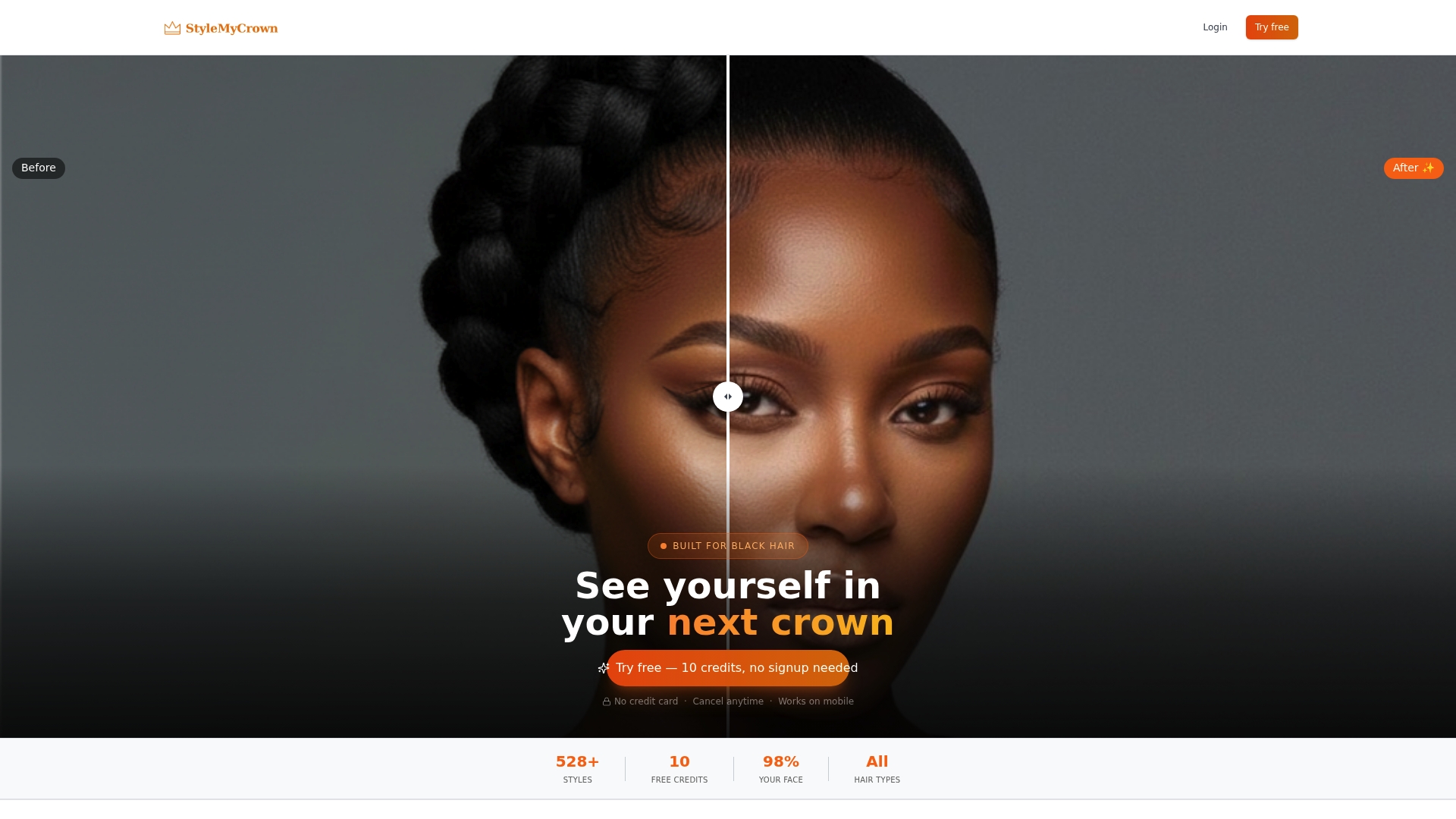
Here’s how to get the most out of it:
- Use your two complimentary credits to test two genuinely different looks, maybe one color change and one cut, so you get a real sense of range.
- Export both a headshot and a close-up of the hairline for any style you’re serious about, then bring those images to your stylist or wig maker.
- Check the platform’s privacy statement before uploading anything. Some platforms provide privacy statements explaining that face data is processed securely and not retained or used to train AI models.
- Browse the Style Catalog first if you want to see the range before uploading a single photo.
When you’re ready to move past the free credits, the pricing plans include a 1 Week Trial at $17.48 per week and a 4 Week Plan at $38.73 per 4 weeks, with a 12 Week Plan also available. Start with your two free credits at Stylemycrown and see your next style before you ever sit in a chair.
Sources
For more on how this technology is evolving, TechCrunch’s reporting on HaloBraid covers investment flowing into textured-hair hardware and tools. If you want to go deeper into style previews, check StyleMyCrown’s posts on bangs for Black hair and knotless braid previews.
- Why AI gets Black hair wrong — documented failure modes and architectural fixes in a production try-on system (IJERT)
- We’re much closer to a Disney princess with type 4 hair — Allure
- How Parfait is using AI to upend the $13B custom wig industry | TechCrunch
FAQ
What is the best app for trying on hairstyles with Black hair?
Apps built specifically for Black textured hair, with curated libraries covering 4A through 4C patterns, tend to outperform generic try-on tools. Some apps offer a large number of curated styles along with complimentary credits to test before paying.
Are virtual hair try-on apps accurate for curly and coily hair?
Accuracy has improved thanks to research into coil-specific rendering methods, but results still vary by app. Look for apps using geometric and physics-based modeling for coils rather than a flat texture filter, since that approach handles frizz and volume more believably.
How many free credits do virtual try-on apps usually offer?
Most platforms offer somewhere between two and five complimentary previews before requiring payment. Many platforms offer a small number of complimentary previews before requiring payment.
Is my photo safe when I upload it to a hair try-on app?
Privacy policies vary by platform, so check the specific terms before uploading. Some platforms indicate in their privacy policies that face data is processed securely and not retained or used to train AI.
Can a virtual preview replace an in-person stylist consultation?
A preview helps you communicate the look you want, but it works best as a starting point rather than a replacement. Bringing exported previews to a stylist consult still gives you the most reliable read on how a style will actually turn out on your hair.


