Try StyleMyCrown Free: Texture First Virtual Hairstyles for Black Hair
Try StyleMyCrown Free: Texture First Virtual Hairstyles for Black Hair
The fastest way to preview virtual hairstyles for Black hair is a texture-first try-on tool built for braids, locs, twists, and natural curl patterns, not a generic filter designed for straight hair. Start with a free trial credit, upload one clear photo, and test a few protective styles before you book a chair. Texture-aware catalogs make the whole process low-risk because you’re seeing your actual hair type rendered, not a guess.
TL;DR:
Texture-aware virtual try-on tools provide more realistic previews for coily and kinky hair than generic straight-hair apps, improving confidence in styles before booking.
High-quality results depend on a clear, well-lit, front-facing photo that accurately shows your hairline, length, and density; obstructions and poor lighting weaken rendering accuracy.
Curated catalogs with extensive braids, locs, twists, and sew-ins, combined with adjustable features like parting and edges, ensure styles match your actual hair type and preferences.
Privacy policies should clearly specify how your photos are stored, used, or deleted, with transparency being a red flag if not disclosed; avoid apps requesting unnecessary permissions.
Running multiple short tests on different styles yields better decision-making than obsessing over a single image, and sharing your favorites with your stylist ensures better appointment results.
Table of Contents
What Are Virtual Hairstyles for Black Hair and Why Does Texture Matter?
A virtual hairstyle try-on tool maps a new look onto your real photo using face-shape detection, lighting analysis, and hair-density modeling. The better platforms rebuild the hairstyle pixel by pixel instead of slapping a flat sticker over your head, which is what separates a photo-realistic AI hairstyle changer from the cartoonish apps you might remember from a decade ago.
Here’s the part most general hair apps get wrong: they’re trained on straight and wavy hair, so a 4C curl pattern or a set of knotless braids ends up looking flat, shiny, or just wrong. Texture-aware rendering accounts for how coils catch light differently than silk press strands, and how braids or locs fall in gravity compared to loose waves.
You’ll typically find three product types on the market:
-
Web instant try-ons you use straight from a browser, no download required
-
Mobile apps that save your photo history and let you browse a style library on the go
-
AR camera previews that update in real time as you move your head, useful for checking a style from multiple angles
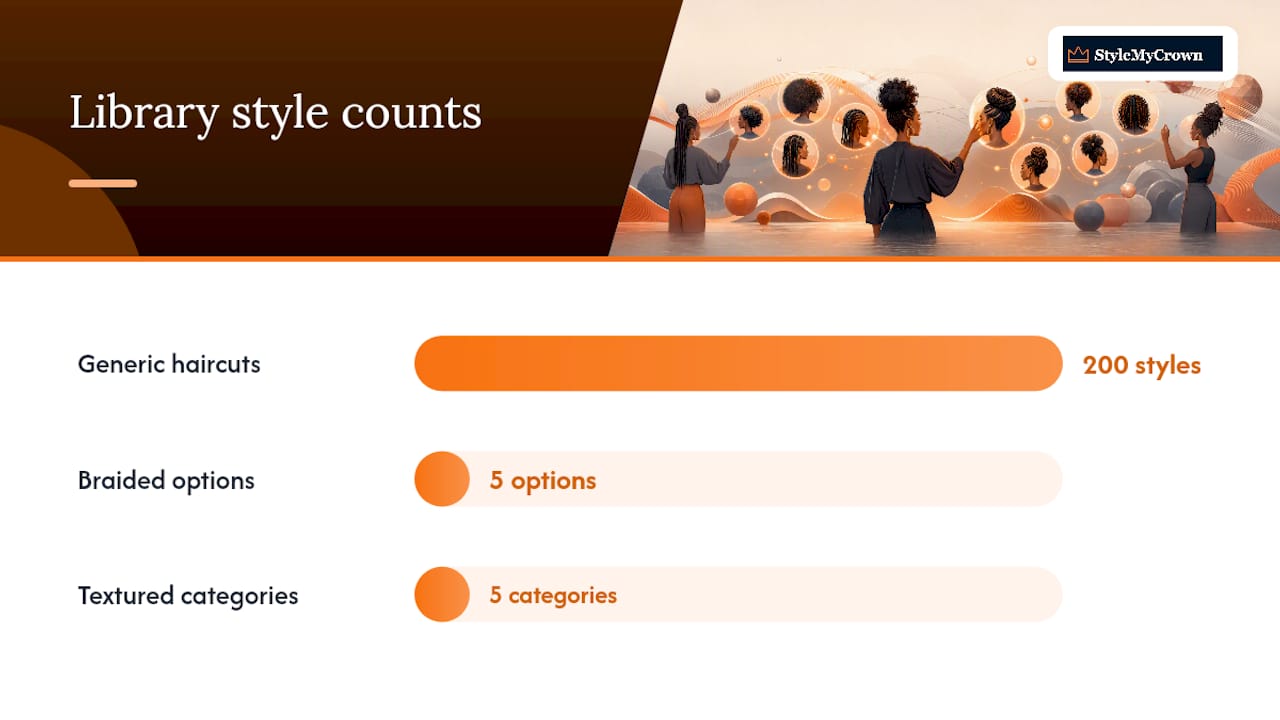
Curated libraries covering braids, locs, twists, bantu knots, and sew-ins matter because textured hair styling isn’t one-size-fits-all. A tool with two hundred generic haircuts and only five braided options isn’t built for you.
How Do You Virtually Try New Hairstyles Step by Step?
Getting a usable preview comes down to prep work before you even open the app. A blurry, badly lit selfie will wreck the rendering no matter how good the underlying technology is.
Before you upload, get your photo right:
-
Shoot in natural daylight or a well-lit room, facing a window if possible
-
Pull your hair back or wear it in its current state so your hairline and face shape are fully visible
-
Take a straight-on, front-facing shot with a neutral expression
-
Skip hats, big earrings, or scarves that cover your edges
Once your photo is ready, work through the tool itself:
-
Upload the photo and confirm the face and hairline detected correctly
-
Choose your desired texture, length, and protective style category
-
Adjust the parting and placement to match how you’d actually wear it
-
Generate two or three variations and compare them side by side
-
Save your favorites to your camera roll or the app’s history
Virtual hair try-on tools work best when you upload one clean, unobstructed photo rather than a group shot or a heavily filtered selfie.
Pro Tip: Test three to five styles in one sitting instead of obsessing over a single render. Trying multiple looks quickly gives you a better sense of what actually fits your face than perfecting one image.
Once you’ve narrowed it down, screenshot your top two or three and bring them straight to your stylist so you’re both working from the same reference.
What Features Matter Most in a Black Hair Styling Tool?
Not every try-on app deserves your photo or your time. Some criteria matter more than others when your hair type isn’t the industry default.
-
Catalog depth for textured styles. A handful of braid options buried in a menu of a thousand straight-hair cuts isn’t a real textured-hair catalog.
-
Density and texture-aware rendering. The tool should adjust how a style sits based on your actual curl pattern, not overlay a flat image regardless of your hair type.
-
Hairline and edge controls. Adjustable parting and edge placement matter more for braided and loc styles than for loose cuts.
-
Privacy transparency. Look for a clear statement on how long photos are stored and whether they’re used to train other models.
-
Export and share options. You want to send a saved look directly to a stylist, not just admire it on your own screen.
-
Pricing clarity. Free trial credits should convert to a stated subscription, not a surprise charge.
Platforms with large style libraries and fast rendering under ten seconds lower the friction of testing multiple looks in one sitting, which matters if you’re comparing five or six options before a big appointment.
How Do You Get Realistic Virtual Hairstyle Results?
Realism starts with your photo, not the app. Overhead lighting flattens curl definition, while side lighting can exaggerate shadows that make dense styles look thinner or patchier than they are. Natural, front-facing light gives the rendering engine the clearest read on your actual texture.
Set your expectations correctly too. A virtual preview is illustrative, showing you a strong approximation of shape, length, and color, not a guaranteed final result. Braid thickness, loc maturity, and exact curl pattern will still shift slightly once a stylist’s hands are involved.
-
Take photos from the front, a three-quarter angle, and a side view for a fuller picture
-
Save two or three top comparisons instead of committing to the first render
-
Note the specific length, density, and parting details before your appointment
One insight worth remembering: platforms like TryItOn find that people get better results running several short tests rather than fixating on one perfect image, which lines up with how most people actually decide on a new look, by comparison, not by a single snapshot.
Why Christelle Built StyleMyCrown Around Texture First
StyleMyCrown was shaped around a simple frustration: most hairstyle apps treat Black hair as an afterthought. Christelle, whose writing on bridal looks and protective styling anchors much of the platform’s content, built the catalog around real textures instead of retrofitting a straight-hair tool.
-
A curated catalog of dozens of hairstyles spanning braids, locs, twists, bantu knots, and sew-ins
-
Free trial credits so you can test the platform before paying for anything
-
A catalog designed around texture and density from the start, not added later as a filter
A texture-first curated catalog cuts down on the mismatch problem you get with generic apps, where a box braid preview looks nothing like actual box braids on coily hair. That accuracy also makes the saved image more useful when you hand it to a stylist, since you’re both looking at a realistic reference instead of a rough approximation.
Is Your Photo Safe? Privacy and Billing Basics
Your face is personal data, and it’s worth knowing exactly what happens to it once you upload it. Reputable try-on tools state clearly whether photos are stored on their servers, deleted after your session, or used to improve their rendering models. If a platform doesn’t disclose this anywhere, that’s a red flag worth taking seriously.
Before you download any app, check its permissions request. A hairstyle try-on tool needs camera and photo access to function, but it has no legitimate reason to request your contacts, location history, or microphone. If it asks for more than it needs, that’s worth questioning.
Billing deserves the same scrutiny. Many apps advertise “free” trials that quietly convert into recurring subscriptions once your credits run out. App store billing documentation makes clear that free-to-start models commonly shift into in-app purchases or subscriptions, so check the terms before you enter payment information, not after you’re charged.
Some textured-hair specific apps now publish curated style lists alongside privacy statements, which is a good sign the developer thought about both your hair and your data. Look for that same combination before you commit your photo to any platform, and don’t be afraid to delete your account and your stored images if a service stops meeting your expectations.
What Changed When I Started Testing Styles Virtually
I used to walk into appointments with a screenshot from someone whose hair texture had nothing to do with mine. The braids never fell the way I imagined, and I’d leave second-guessing a choice I’d already paid for.
Once I started testing looks virtually first, that regret mostly disappeared. Seeing a style rendered on my actual face and my actual texture, not a stock photo, gave me the confidence to commit to a length or a part pattern I’d never have tried blind. It also gave my stylist a real reference instead of a vague description, which made the whole appointment faster and more precise.
The tools that helped weren’t the flashiest ones. They were the ones that understood coily and kinky hair from the start.
— Christelle
Try StyleMyCrown Free Before You Book Your Next Style
If you’ve been switching between apps that keep flattening your curls into something unrecognizable, this tool offers a large curated selection of styles across braids, locs, twists, bantu knots, and sew-ins, rendered with texture and density in mind instead of retrofitted from straight-hair templates.
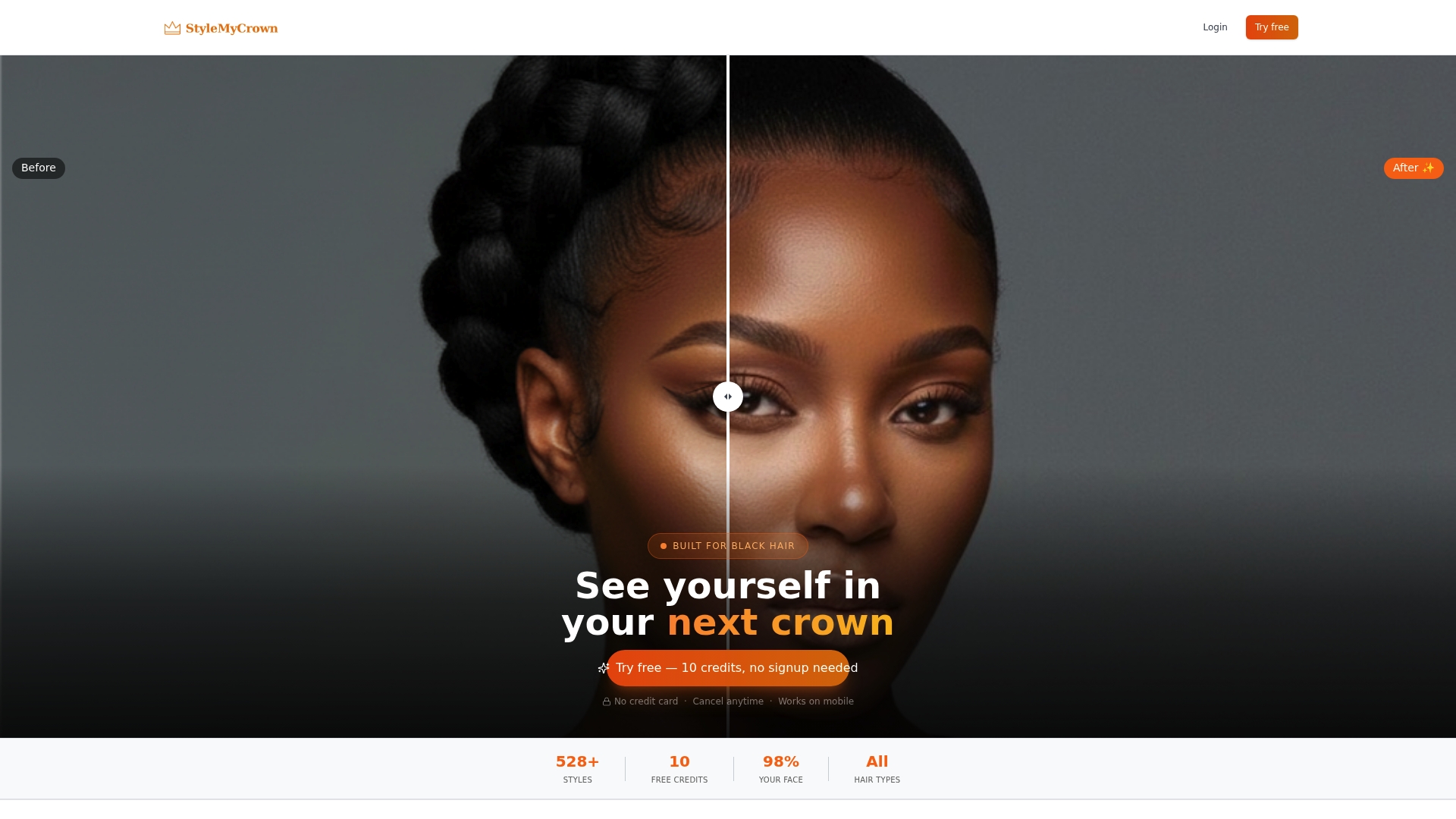
Getting started costs nothing upfront. Your account comes with complimentary trial credits, so you can upload a photo, test a handful of looks, and save your favorites without entering payment details first. Once you’ve narrowed down a style, share the saved image with your stylist so you’re both working from the same reference instead of a description that gets lost in translation.
Browse the full Style Catalog to see what’s available for your texture, or head straight to the Stylist Catalog if you’re ready to turn a saved preview into a booked appointment.
Sources
For deeper comparisons of tools and photo-reference standards, see Black hairstyle websites for accurate references. If you’re planning a protective style around a big event, Black bridal hairstyles covers how to coordinate looks in advance. For general self-care planning alongside your style routine, The Infinite Bath offers skincare resources worth bookmarking.
FAQ
What Is the Best Free Virtual Hairstyle Site?
The best free option is one built for your specific texture rather than a generic filter. There are platforms offering complimentary trial credits against a catalog of curated styles for textured and protective hair.
Is There a Free AI Hairstyle Generator Available?
Yes. Several platforms offer free trial credits or free-to-start tiers that let you generate a handful of previews before any payment is required.
How Do You Virtually Try New Hairstyles?
Upload a clear, front-facing photo in good lighting, then choose a texture, length, and style from the catalog to generate a rendered preview you can compare and save.
Is There an App That Suggests Different Hairstyles for Me?
Most virtual try-on apps let you browse and test styles based on your uploaded photo rather than generating suggestions automatically, though some tools recommend styles by face shape once your photo is analyzed.
How Accurate Are Virtual Hairstyle Previews for Textured Hair?
Texture-aware tools that model curl pattern, density, and lighting produce noticeably more accurate previews than generic apps, though results remain illustrative rather than an exact final outcome.


