Best Hairstyle Websites to Try Looks Before You Commit

The best hairstyle website is the one that shows you a believable version of yourself. If you have Black or textured hair, that narrows the field fast. Most try-on tools were built around straight and wavy hair, so a set of box braids or a twist-out often looks like a pasted-on wig. Below, I compare the main kinds of hairstyle sites, what they cost, what they ask from you, and who each one suits.
I have sat in a stylist’s chair with a screenshot, a hopeful look, and zero idea whether the style would work on my hair. That nervous moment is why this list exists.
TL;DR
- Retail try-ons like Ulta’s are polished and free to use, but they are built around shopping for products, not around textured or protective styles.
- General AI hairstyle changers and free “makeover” sites are quick, but results on coily and curly hair often look smoothed out.
- StyleMyCrown is built for Black and textured hair, with 528+ styles, 2 complimentary credits and a $0 one-week trial.
- Treat every preview as a direction, not a forecast. Bring the looks you love to your stylist.
- Pick by hair type first, then by price, privacy and what you plan to do with the result.
Table of Contents
- What the best hairstyle websites actually do
- The main options, compared
- How to choose: five questions to ask first
- How realistic are the previews?
- Cost and what you can try for free
- For parents, stylists and salon owners
- Try it on your own photo
- FAQ
- Sources
What the best hairstyle websites actually do
Every tool on this list does some version of the same thing. You upload a photo or open your camera. The software finds your head and hairline, then swaps in a new style or color.
Where they differ is how.
Ulta is a good public example. According to NVIDIA’s write-up of the project, Ulta licensed the StyleGAN2 model for commercial use, retrained it, and added guardrails so the AI changes only hair pixels and leaves facial features alone. Ulta’s computer vision director told Retail Systems the same thing: the model had to be retrained and fenced in so it would not distort the face.
That guardrail idea matters for you. A good tool changes your hair and nothing else. A weak one quietly reshapes your jawline, your hairline or your skin tone along the way.
The features you can usually customize fall into four groups:
- Preset styles. You pick from a catalog and the tool applies it.
- Color. Shades, highlights and tones, often with a slider.
- Describe it. Some AI changers let you type what you want.
- Reference photo. You upload a picture of a look you saw and the tool tries to copy it.
The results page of a typical search for this topic shows all four. One AI hairstyle changer offers presets, text descriptions and reference photos. A free makeover site advertises no sign-up. Ulta’s tool lives inside a retailer. Reddit threads, meanwhile, are full of people asking which app produced a friend’s before-and-after.
The main options, compared
Here is how the common choices stack up for someone with Black or textured hair. I list prices only where a provider publishes them, and where a price changes by region or promotion, I say so.
| Option | Best for | Black and textured hair focus | Cost | What you give up |
|---|---|---|---|---|
| StyleMyCrown | Black hair, protective and natural styles, men’s cuts, kids’ styles | Built specifically for it, 528+ styles | 2 complimentary credits, $0 one-week trial, then $38.73 per 4 weeks | Credits run out, then a subscription |
| Ulta hair try-on | Shoppers who want color and cut ideas tied to products | General catalog | Free to use on Ulta’s platform | Tied to a retailer, not textured-style specific |
| YouCam Makeup | People who want makeup, hair and photo editing in one app | General | Free download, premium pricing varies by region and promotion | Hair is one feature among many |
| Free web hair makeover tools | A fast first look with no account | General | Free, often no sign-up | Less control, less accuracy on coils |
| Inspiration galleries and Reddit threads | Real photos on real people | Varies | Free | No preview on your own face |
Each row deserves a few lines.
StyleMyCrown
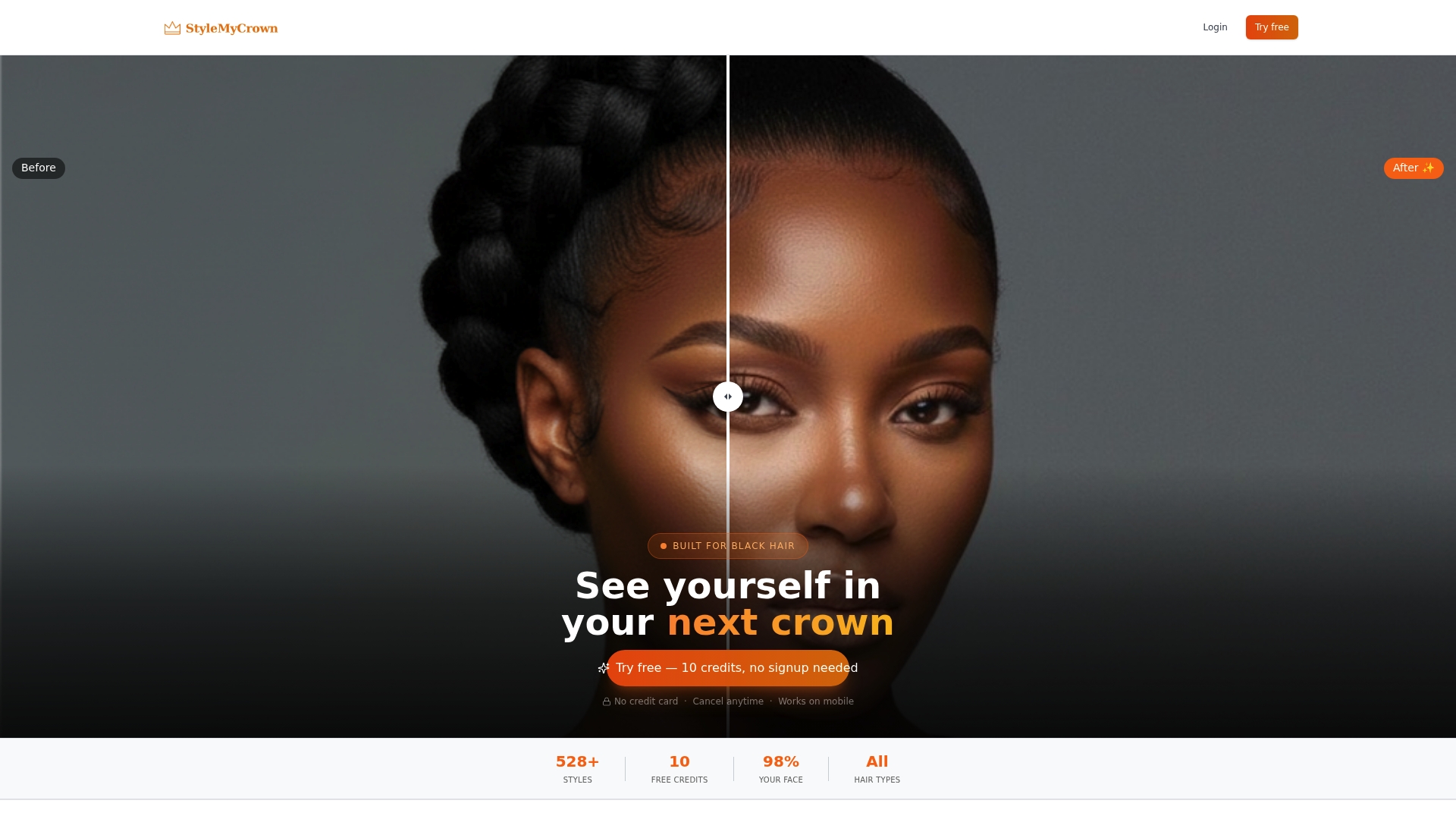
This is ours, so I will tell you plainly what it is and what it is not. StyleMyCrown is an augmented reality try-on made for Black and textured hair. The style catalog holds more than 528 styles curated for different textures and types, from braids and twists to short cuts, updos and wig styles.
You start with 2 complimentary credits. The pricing page lists a 1 Week Trial at $0 per week and a 4 Week Plan at $38.73 per 4 weeks. There is also a 12 Week Plan on the pricing page.
On privacy, our stated position is that face data is processed securely and is never retained or used for AI training.
It also works for people who style hair for a living. The Stylist Catalog is designed to give stylists a digital menu so clients can point at a look instead of describing it for ten minutes.
Ulta’s hair try-on
Ulta’s tool is slick and sits inside a store you may already shop. NVIDIA’s post says Ulta found that people who use the virtual tool are more likely to buy a product, and that the company plans virtual trials for wigs and in-store styling services.
It is strongest for color. If you are deciding between honey blonde and copper, a retail try-on is a fair place to start. Retailers keep adding these experiences, and a virtual hair color trial is now a normal part of how beauty shoppers explore a change before booking anything.
For a retwist, a silk press or a set of knotless braids, you want a catalog that understands those shapes.
YouCam Makeup
YouCam is a broad beauty and photo app. One review of the app notes it is free to download on iOS and Android, includes hairstyle and hair color try-on alongside makeup and editing, and that premium pricing varies by region and promotion. If you want one app for lipstick, lighting and a quick hair swap, it fits. If hair texture is your main question, a specialized tool will give you more relevant options.
Free web makeover tools
These are the sites that promise a free virtual makeover with no sign-up. They are a low-effort way to see whether bangs or a lighter shade might work on your face shape. Expect a smaller catalog and less control. On textured hair the weak point is usually the edge: a smoothed hairline, or a curl pattern that turns into loose waves.
Galleries and Reddit
Inspiration sites and subreddits show real hair on real people, which is valuable. You can see how a style grows out, how it photographs, how it holds in humidity. What they cannot do is put it on you.

How to choose: five questions to ask first
What is your hair type?
If your hair is 4a to 4c, coily, or in a protective style, start with a tool that has styles built for it. Our guide to hairstyles for 4B hair shows the range of looks that suit that texture, and our page on protective hairstyles for Black hair covers braids, twists and more.
Are you transitioning or doing a big chop?
This is one of the most emotional moments in a hair journey. A preview can calm the fear of the unknown. Browse transitioning hairstyles and try short looks, like those in our pixie cut guide, before the clippers come out.
What will you do with the result?
If you will show it to a stylist, you want a clear, full-head image you can screenshot. If you are shopping for a wig, you want a tool that shows wig-style looks. We have a guide to glueless wig styles for that.
Who is it for?
Parents choosing a style for a child, men looking for a fade or twists, and salon owners looking for a catalog each need something different. Check that the tool has styles for that person, not just a single generic option.
What are you comfortable sharing?
A photo of your face is personal data. Read each tool’s privacy terms before you upload. Look for what happens to the image after processing, and whether it is used to train models. Our own Terms of Service are public, and you should read any tool’s terms the same way.
How realistic are the previews?
Realistic enough to guide you, not realistic enough to promise an outcome.
HairisCurly, a site focused on curly and wavy hair, explains that AI previews are visual mockups, not technical forecasts. They cannot reliably calculate shrinkage, natural density, curl clumps or the daily styling a cut needs. The same page suggests judging silhouette and where the volume sits, since previews may smooth irregularities or fill in thinner areas.
A styling professional quoted in the New Indian Express makes a related point: realism differs by texture, and results must be read alongside real-world texture and maintenance. Straight hair tends to match more closely than curly hair.
So here is how I use a preview:
- Look at shape and proportion first. Does the length hit where you want it? Is the volume at the crown or the sides?
- Ignore perfect edges and tiny details.
- Save two or three favorites, not one.
- Bring them to your stylist and ask how your actual hair will behave in each.
That last step is where the preview earns its keep. It turns a vague “something like this” into a conversation.
Cost and what you can try for free
Most tools in this space are free or freemium. Retail tools are free because they sell products. Free web tools make their money on ads or upgrades. Apps like YouCam charge for premium tiers that vary by region and promotion.
Our model is simple. You get 2 complimentary credits to try styles. The 1 Week Trial is $0. After that, the 4 Week Plan is $38.73 per 4 weeks. Current plan details, including the 12 Week Plan, are on the pricing page, and you can manage a plan any time from the Manage Subscription page.
Whatever tool you choose, take photos in even light, face the camera, and pull your hair back or leave it as natural as you can so the software can see your hairline.
For parents, stylists and salon owners

Parents often have the hardest version of this problem. A child will not sit still for a consultation, and you do not want a four-hour braid appointment to end in tears. A preview lets your kid pick, and you can both see the style before booking.
Stylists lose chair time to consultations. A digital catalog shortens them. Our Pro Onboarding page is where stylists and shop owners can start, and the Stylist Catalog is the client-facing menu.
Our perspective
When we started building StyleMyCrown, the problem was personal. Too many of us had walked into a salon with a photo of a style that looked amazing on someone else, and walked out unsure of ourselves.
Most hairstyle websites treat Black hair as an afterthought. A few styles get added at the end, and the rest of the catalog is made for hair that behaves differently. We built the catalog the other way around, starting from the textures, the protective styles and the cuts our community actually wears.
We believe a preview should feel like a mirror that respects you. That is why our stated approach is to process face data securely and never retain it or use it for AI training. Your face is not our training set.
The best hairstyle website is the one that lets you imagine yourself boldly, with no commitment and no pressure. Try the style. Save the screenshot. Take it to your stylist and talk.
Christelle
Try it on your own photo
If you want to see a style on your own head before the appointment, StyleMyCrown is made for exactly that. Start with your 2 complimentary credits, browse the catalog, and save the looks that feel like you.
You can begin on the pricing page with the $0 one-week trial, or go to Onboarding to set up your profile. If you enjoy a more playful route, Crown Quest is our hair journey experience.
PS: What is the one style you have always wanted and never dared to try?
FAQ
What is the best website to try on hairstyles?
It depends on your hair. For Black and textured hair, a tool built around those textures, like StyleMyCrown with its 528+ styles, will give you more relevant looks. For quick color ideas, a retail try-on such as Ulta’s works well.
Are hairstyle try-on websites free?
Many have a free tier. Retail tools and basic web makeover sites are typically free, and apps like YouCam offer free downloads with paid tiers. StyleMyCrown gives you 2 complimentary credits and a $0 one-week trial before the 4 Week Plan at $38.73 per 4 weeks.
Are the previews accurate for curly and coily hair?
They are good for shape, length and overall direction. They cannot predict shrinkage, density or daily styling needs, as HairisCurly notes. Use them to choose options, then confirm with your stylist.
Is it safe to upload my photo?
Check each tool’s privacy terms for how images are processed, stored and used for model training. Our stated policy is that face data is processed securely and is never retained or used for AI training.
Sources
- Ulta Beauty AI Helps Shoppers Try New Hairstyles (NVIDIA)
- Ulta Beauty integrates Nvidia’s genAI model for virtual hairstyle try-ons (Retail Systems)
- Preview a Curly or Wavy Haircut Before You Commit (HairisCurly)
- The Grooming Assistant: How AI has become Bengalureans’ personal stylist (New Indian Express)
- Is YouCam Makeup Worth It? (AI Chat Daily)


